

Choose a platform
-
 Android Version 0.67.60
9 MB
Download Get it on Google PlayRecommended for your device
Overview
Introduction
YouTube Go is a lightweight version of the popular video sharing platform, YouTube. Designed with a focus on providing a data-saving and offline experience, YouTube Go is intended for users in regions with limited internet access. Let's take a look at the key features and answer common questions about YouTube Go.
The developer behind YouTube Go
YouTube Go is developed by Google LLC, the multinational technology company behind many widely used services and platforms, including YouTube. Google's commitment to making online content accessible to a global audience is reflected in the development of YouTube Go.
Key Features
- Data efficiency: YouTube Go allows users to control their data usage by providing a preview of a video before deciding whether to fully stream or download it. This is especially useful for users with limited data plans.
- Offline Viewing: One of the great features of YouTube Go is the ability to upload videos for offline viewing. Users can save videos to their devices and watch them later without the need for an internet connection.
- Select video quality: Users can select the video quality they want to watch or download, allowing flexibility in balancing video quality and data consumption.
- Share videos offline: YouTube Go allows users to share uploaded videos with other people offline. This is very convenient when internet connection is limited.
- Lightweight App Design: The app itself is designed to be lightweight, requiring less storage space and optimized to run smoother on less powerful devices.
User-friendly interface and experience
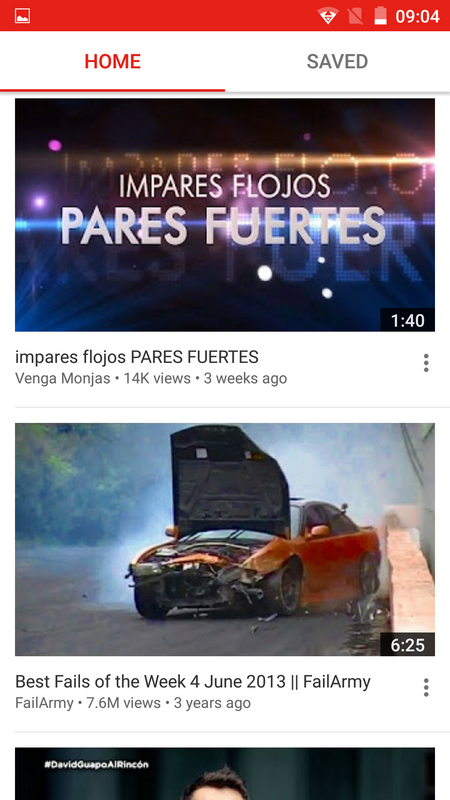
YouTube Go features a user-friendly interface with clear navigation. With a lightweight design, users can easily browse content, manage uploads and control data usage even on entry-level smartphones.
Conclusion
The YouTube Go app, developed by Google LLC, extends the availability of YouTube to users facing challenges such as limited data plans and unstable Internet connections. With a focus on data efficiency, offline browsing, and a lightweight app design, YouTube Go provides a convenient solution to enjoy video content with fewer resources. Whether you're in an area with low connectivity or want to manage your data usage efficiently, YouTube Go offers a convenient and streamlined solution for watching videos on the go.
Features
Pros
- Offline Viewing
- Data Saving Features
- Control over Data Usage
- Easy Sharing
- Discover and Preview Videos
Cons
- Simplified Features
Screenshots
Ask a Question
How does offline viewing work in YouTube Go?
Users can upload videos in the YouTube Go app and watch them later without an internet connection.
Can I share my uploaded videos with other people?
Yes, YouTube Go allows users to share uploaded videos with other people offline through the app.
Are there any restrictions on uploading videos to YouTube Go?
The ability to upload videos to YouTube Go may depend on regional restrictions and the availability of content for offline viewing.
Can I use YouTube Go on a slow internet connection?
Yes, YouTube Go is designed to work on slow internet connections and users can control data usage for a smoother experience.
Is there a limit to the number of videos I can upload to YouTube Go?
YouTube Go may have certain limits on the number of videos you can upload, which depend on regional restrictions and the app's policies.
Similar programs
-
 Disney+ Disney
4.7 (3) Free 122 176
Windows, Mac OS, iOS, Android
View Disney+ -
 Remini Bending Spoons Apps ApS
5 (1) Free 242 958
Android, iOS
View Remini -
 Opera Opera Software
2.5 (4) Free 38 694
Windows, Mac OS, iOS, Android, Linux
View Opera -
 Blink Blink LLC
5 (3) Free 8 260
Android, iOS
View Blink


